Basic PlanVIP PlanVIP ExpiredPurchased credits are valid for life but require an active VIP subscription to use
0Credit(s)
You can use credits to access all the AI tools on Picwand, such as the AI Image Upscaler, AI Age Filter, AI Video Enhancer, AI Video Upscaler, AI Video Effects, and more.
The rapid evolution of AI video generation has reshaped how creators, marketers, and businesses produce visual content. From short-form social videos to promotional clips, AI-powered tools promise faster workflows, lower costs, and fewer technical barriers. Among the growing list of platforms, Hailuo AI has started to attract attention for its streamlined video generation capabilities and beginner-friendly interface.
But how well does Hailuo AI image to video actually perform in real-world scenarios? Is it suitable for content creators, social media managers, or businesses seeking scalable video solutions? And how does it compare with more versatile AI tools on the market?
This in-depth free Hailuo AI review explores what the platform offers, its key features, advantages and limitations, pricing structure, and practical use cases. We’ll also look at Picwand AI, a powerful alternative for users seeking more flexibility and higher-quality outputs.
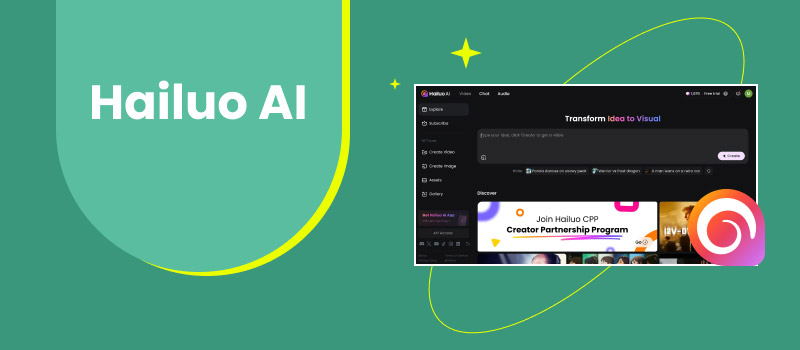
Hailuo AI is an AI-powered video generation platform designed to simplify video creation using text prompts and pre-configured templates. Its core objective is to help users quickly produce short videos without requiring advanced editing skills or professional software.
At its foundation, Hailuo AI video generator leverages machine learning models to interpret textual input, match visual assets, apply transitions, and generate coherent video sequences. The platform is particularly aimed at users who want to create content for:
Social media platforms
Short promotional videos
Educational or informational clips
Marketing and branding materials
One of Hailuo AI’s primary selling points is accessibility. The interface is designed for users with little to no video editing background, reducing the learning curve often associated with traditional tools like Premiere Pro or After Effects. However, while ease of use is a strength, it also defines some of the platform’s limitations, especially for users seeking deeper customization or cinematic-level output.
Key Features
1. Text-to-Video Generation
Hailuo AI allows users to generate videos by entering a simple text prompt. The system analyzes the input and automatically assembles visuals, motion effects, and basic storytelling structure. This feature is ideal for quick ideation and rapid content production.
2. Pre-Built Video Templates
The platform offers a selection of ready-made templates optimized for different content types, including social posts, product introductions, and explainer-style videos. Templates help speed up production but may limit creative flexibility.
3. Automated Scene Transitions
Hailuo AI automatically applies transitions between scenes, reducing manual editing effort. While functional, these transitions are generally basic and may feel repetitive across multiple videos.
4. AI Voiceover Support
Some plans include AI-generated voiceovers, allowing users to add narration without recording audio themselves. Voice options are serviceable but may lack emotional depth or advanced customization.
5. Cloud-Based Workflow
As a browser-based tool, Hailuo AI video generator requires no downloads or installations. Projects are stored in the cloud, making it accessible from different devices and locations.
Pros
Beginner-friendly interface
Fast video generation
No professional editing skills required
Cloud-based and accessible
Useful for short-form content
Cons
Limited creative control
Repetitive visual styles
Basic transitions and animations
Less suitable for long-form or high-end video projects
Output quality may feel generic
Use Cases
Hailuo AI works best for users who prioritize speed and simplicity over advanced customization. Common use cases include:
Social Media Content: Quick videos for platforms like TikTok, Instagram Reels, or YouTube Shorts
Pricing is generally positioned as affordable, making it appealing to beginners. However, value for money depends heavily on how much creative flexibility you need.
Part 2. Tips and Tricks for Hailuo AI Video Generator
To maximize results with Hailuo AI, consider the following tips:
• Use Clear, Concise Prompts
Short, well-structured prompts produce better results than long, complex descriptions.
• Stick to Short Videos
Hailuo AI performs best with brief clips rather than extended narratives.
• Customize Where Possible
Adjust colors, text overlays, and pacing to avoid overly generic outputs.
• Test Multiple Variations
Generating several versions helps identify the strongest visual composition.
• Pair with External Tools
For more polished results, consider minor post-editing using other software.
Part 3. Best Hailuo AI Alternative: Picwand
While Hailuo AI is suitable for basic video generation, many users eventually look for more powerful alternatives with enhanced image quality, broader AI tools, and deeper customization.
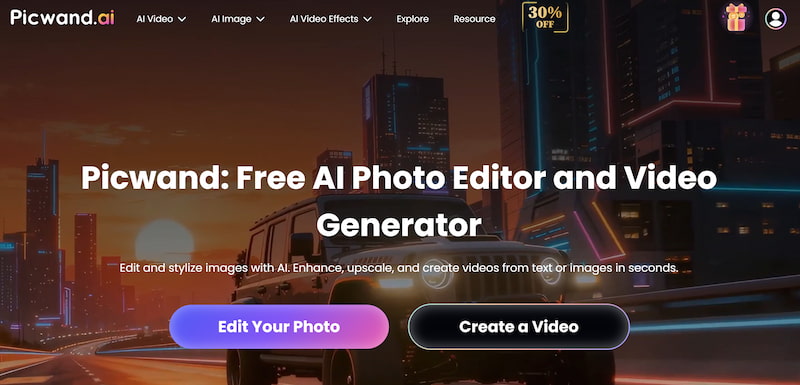
Picwand AI
Picwand AI Text-to-Video Generator stands out as a versatile AI-powered creative platform that goes beyond simple video generation. It combines AI image enhancement, restoration, and visual optimization, making it especially valuable for creators who care about visual clarity and professional-quality outputs.
Key Features of Picwand AI
AI-powered image and video enhancement
Upscaling for low-resolution visuals
Noise reduction and detail restoration
User-friendly interface
Supports both personal and professional workflows
How to Use Picwand AI
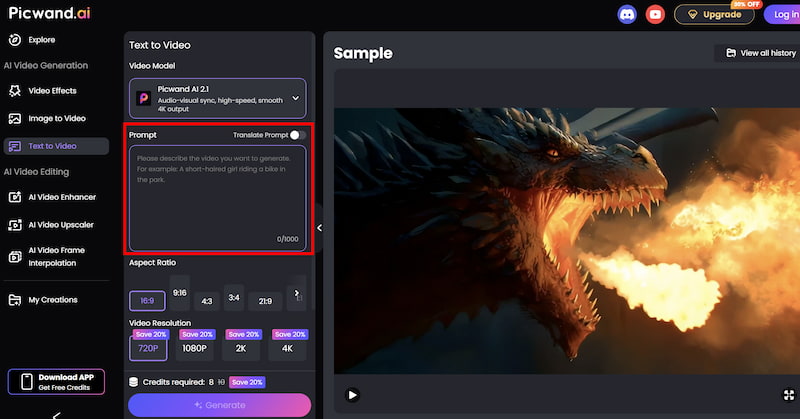
Step 1. From the main dashboard, choose the Text-to-Video Generator option. This tool allows you to generate short video clips purely from written descriptions.
Step 2. Enter your text prompt by describing the scene you want to create using natural language. You can specify elements such as environment, mood, movement, and visual style. For example, you might describe a cinematic landscape, a product showcase, or a short animated concept.
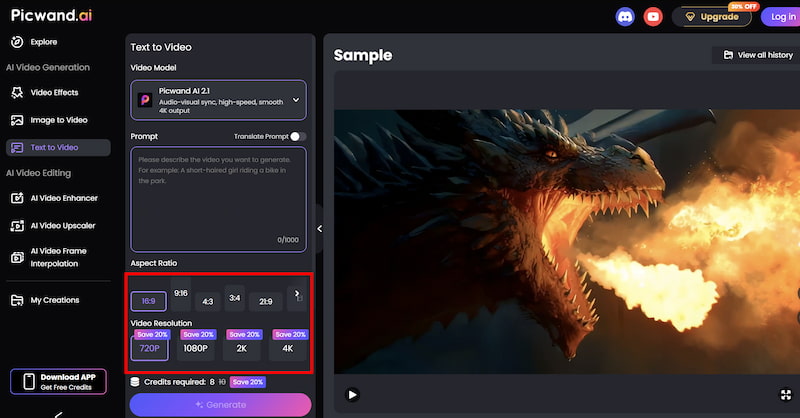
Step 3. Before generating the video, you can fine-tune settings such as Aspect Ration, Video Resolution, etc. These options help tailor the output to social media, marketing, or presentation needs.
Step 4. Once your prompt is ready, click the generate button. Picwand processes the request and produces a preview video within a short time, allowing you to review the result instantly. If you are satisfied with the output, you can export the video directly.
Results
Compared to Hailuo AI’s templated approach, this MP4 video upscaler delivers sharper visuals, cleaner details, and more natural-looking results. It is particularly effective for improving AI-generated assets, making it an excellent companion or replacement for basic video generators.
Part 4. FAQs about Hailuo AI
Is Hailuo AI free to use?
Yes, Hailuo AI usually offers a free plan, but outputs may include watermarks and feature limitations.
Is Hailuo AI good for professional video production?
It is suitable for simple content but may not meet professional or cinematic standards.
Does Hailuo AI support long videos?
The platform is optimized for short-form content rather than long, complex videos.
Which is better: Hailuo AI or Picwand AI?
Hailuo AI focuses on fast video generation, while Picwand AI excels at enhancing visual quality and creative control.
Conclusion
Hailuo AI is a practical entry-level AI video generator designed for speed and accessibility. It works well for users who need quick, simple videos without investing time in advanced editing tools. However, its limited customization and generic output may not satisfy users aiming for higher production quality.
For creators and marketers seeking more refined visuals, better enhancement capabilities, and flexible workflows, Picwand AI Text-to-Video Generator emerges as a stronger alternative. By delivering superior image and video enhancement, it helps transform basic AI-generated content into professional-grade visuals.
Ultimately, the right choice depends on your goals—but if quality matters as much as speed, exploring alternatives like Picwand AI is well worth it.