Basic PlanVIP PlanVIP ExpiredPurchased credits are valid for life but require an active VIP subscription to use
0Credit(s)
You can use credits to access all the AI tools on Picwand, such as the AI Image Upscaler, AI Age Filter, AI Video Enhancer, AI Video Upscaler, AI Video Effects, and more.
AI video generators are no longer experimental tools reserved for tech enthusiasts. They are now widely used by marketers, YouTubers, educators, and small business owners who need fast, affordable video production. Among the many platforms available, InVideo AI has gained attention for its “prompt-to-video” workflow and automation features. But is it really worth your money? How does it compare to other AI video tools on the market? And more importantly, does it offer enough flexibility for professional use? In this comprehensive InVideo AI review, we’ll break down its core features, pricing structure, real-world usability, strengths, weaknesses, and who it’s best suited for. We’ll also introduce a strong alternative if you’re looking for more creative control and fewer limitations.
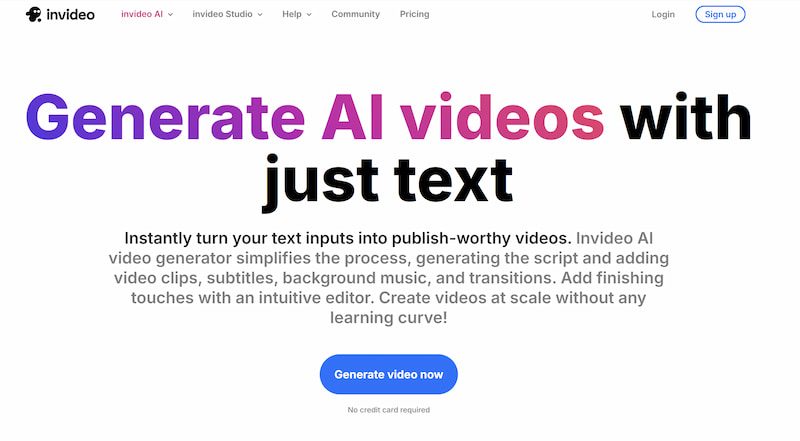
InVideo AI video generator is the AI-powered version of the video creation platform developed by InVideo. It builds on the company’s template-based editor by adding artificial intelligence that transforms text prompts into ready-to-publish videos.
Unlike traditional editors that require manual timeline editing, InVideo AI simplifies the workflow:
• Enter a prompt.
• Select tone and platform (YouTube, TikTok, ads, etc.).
• Let the AI generate a script, visuals, subtitles, and voiceover.
The tool is designed primarily for content creators who need quick social media videos, marketing clips, or explainer content without advanced editing skills.
Part 2. Core Features of InVideo AI
1. Prompt to Video
The standout feature is its prompt-to-video system. Users can type a short description like:
“Create a 60-second motivational video about productivity.”
The AI then generates:
• A structured script
• Scene breakdown
• Stock footage
• Background music
This workflow significantly reduces production time. However, results vary depending on prompt clarity. Generic prompts often produce generic outputs, requiring manual refinement.
2. AI Copywriting and Voiceover
InVideo AI image to video includes automated scriptwriting and text generation. The AI structures content into hooks, body sections, and calls to action.
It also supports AI-generated voiceovers in multiple accents and languages. While convenient, the voices can sometimes sound synthetic, especially for longer scripts.
For short-form content like Instagram Reels or YouTube Shorts, this feature works well. For brand storytelling or emotional campaigns, users may still prefer custom narration.
3. Automatic Media Library Search
The platform integrates stock footage libraries and automatically matches visuals to script segments. This is useful for:
• Business explainers
• Educational summaries
• Top-10 style videos
• Product marketing clips
However, the reliance on stock footage can make videos look similar to other AI-generated content online. There is limited originality unless you upload custom media.
4. Real-time Editing Panel
Unlike fully automated AI tools, InVideo AI text to video allows manual editing after generation.
You can:
• Replace scenes
• Change stock footage
• Edit script lines
• Adjust subtitles
• Swap music
The interface is relatively beginner-friendly, though ai.invideo.oi may feel restrictive compared to professional editing software.
Part 3. How to Use InVideo AI
Using InVideo AI text to speech typically follows these steps:
• Create an account on the official InVideo website.
• Choose “AI Video Generator.”
• Enter your prompt.
• Select audience, tone, and platform.
• Generate the video.
• Edit if needed.
• Export and download.
The generation process usually takes a few minutes depending on video length and complexity, supporting automatic photo color correction.
For beginners, the workflow is intuitive. For advanced users, customization options may feel limited.
Part 4. InVideo AI Pricing
Below is a simplified overview of typical InVideo pricing tiers (subject to change):
Plan
Monthly Cost (Approx.)
Key Features
Free Plan
$0
Limited exports, watermark included
Plus Plan
~$20/month
No watermark, HD exports, more AI credits
Max Plan
~$48/month
Higher export limits, premium stock access
Enterprise
Custom pricing
Team features, priority support
Recommendations Based on Needs
For beginners or hobby creators:
The Free Plan is good for testing features, but watermark limitations make it unsuitable for professional publishing.
For social media marketers:
The Plus Plan offers solid value if you produce frequent short-form content.
For agencies or content teams:
The Max or Enterprise plans provide higher export limits and collaboration tools.
If you produce high volumes of content daily, subscription costs can add up quickly. That’s where alternative tools may offer better flexibility.
Part 5. Best InVideo AI Alternatives
If you find InVideo AI too template-driven or restrictive, Picwand AI Text-to-Video Generator offers a flexible and accessible alternative.
Features
Picwand provides:
• AI-powered video generation
• Image-to-video capabilities
• Fast processing speed
• Beginner-friendly interface
• No heavy reliance on repetitive stock templates
• Web-based operation (no complex installation required)
Unlike platforms focused mainly on social media automation, Picwand emphasizes creative adaptability. Users can experiment more freely with visuals and styles without being locked into preset scene structures.
This makes it particularly suitable for:
• Creative storytelling
• Visual experimentation
• Educational content
• Marketing campaigns requiring visual uniqueness
InVideo AI excels at speed and convenience. It is ideal for users who want a fast, semi-automated video solution for social media. However, it may feel formulaic for creators seeking originality and deeper customization. Picwand AI upscaling video stands out as a strong alternative for users who value flexibility, creative freedom, and streamlined usability without heavy template constraints.
Part 6. FAQs about InVideo AI Review
Is InVideo AI good for YouTube automation?
Yes, especially for list-style or informational videos. However, uniqueness may require manual editing.
Does InVideo AI include stock footage?
Yes, it integrates stock libraries that automatically match visuals to scripts.
Does InVideo AI remove watermarks?
Only paid plans remove watermarks.
Conclusion
This InVideo AI review shows that the platform is a convenient and efficient AI video generator, especially for marketers and content creators focused on speed. Its prompt-to-video workflow, automated scripts, and stock integration simplify production significantly.
However, the trade-off is reduced originality and creative depth. For users who prioritize quick content over custom design, InVideo AI is a solid option. For those seeking greater flexibility and fewer template limitations, Picwand AI Text-to-Video Generator provides a compelling alternative. Ultimately, the best tool depends on your goals. If automation is your priority, InVideo AI delivers. If creativity and adaptability matter more, exploring alternatives may give you better long-term value.