How to Make an AI Story Video: A Guide for Beginners

How to Make an AI Story Video from Scratch
A good story can begin with just one sentence. The difficult part is turning that sentence into a complete video with characters, scenes, dialogue, pacing, and visual continuity. Traditionally, creating a story video meant writing a script, designing characters, finding locations, filming scenes, recording audio, and spending hours in an editing program. AI story video generators can reduce much of that production work.
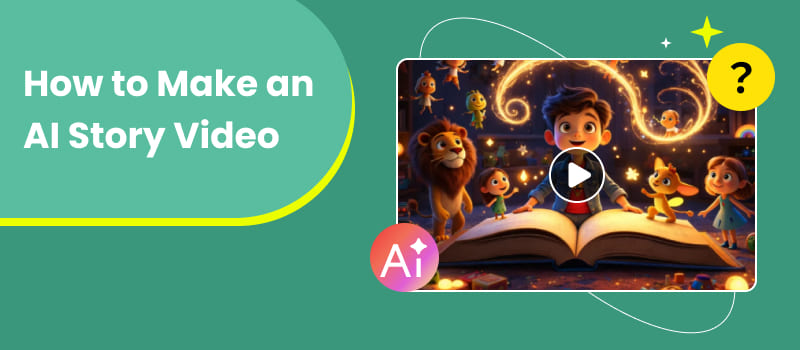
With a story-to-video tool, you can start with a basic concept and use AI to develop the narrative, organize scenes, create characters, and turn the result into a video. This makes the format useful for short stories, children's content, social media videos, educational projects, and creative experiments. In this guide, we'll explain how to make an AI story video, what you need before you start, and how to use Picwand AI's Story to Video workflow to turn an idea into a visual story.
Contents:
Part 1: What Is an AI Story Video?
Story-to-Video Definition
An AI story maker video is a video created with artificial intelligence from a written story, script, or narrative idea. Unlike a basic text-to-video prompt that may generate a single clip, a story-to-video workflow focuses on creating a sequence of connected scenes. The AI needs to understand not only what each scene looks like but also how the scenes relate to one another.
Or this basic idea, for instance:
- • A little girl had discovered a curious entrance in her grandmother’s attic.
- • A story-to-video technology might turn the premise into a sequence:
- • The girl goes to check the attic.
- • She discovers the hidden door.
- • She opens it and enters a strange world.
- • She meets a mysterious character.
- • She discovers why the door was hidden.
The result is closer to a mini-film than an isolated AI-generated clip.
AI Storytelling Flow
Here’s what a typical AI narrative pipeline would look like in addressing how to make AI story videos for TikTok: Idea - > Story development - > Characters - > Scene breakdown - > Visual generation - > Video - > Editing
The procedure starts with a notion. Then artificial intelligence can help to extend it into a story with a beginning, middle, and end.
Next, the story is divided into scenes. Each scene needs information about its setting, characters, actions, and mood. The AI then generates or assembles visual elements based on those descriptions. Depending on the platform, voiceover, music, captions, and other production elements may also be added. The creator remains responsible for reviewing the result. AI-generated storytelling is rarely perfect on the first attempt, so editing and regeneration are part of the workflow.
Part 2: What You Need to Create AI Story Videos
You don't need to have a whole screenplay before you start your first story maker AI video. But if you prep a few basic things you can make a big difference.
1. Ideas for Stories
Begin with a simple notion, do not attempt to write the complete movie. Good story ideas usually contain at least one of these elements:
- • A character with a goal
- • A problem that needs to be solved
- • An unusual setting
- • A surprising discovery
- • A conflict
- • A transformation
For example:
Weak idea: “A dog walks through a city.”
Stronger idea: “A lost dog follows a mysterious blue light through a city at night, hoping it will lead him home.”
The second idea gives AI more narrative information to work with.
2. Screenplays
Now that you've got the notion, convert it into a little script.
One simple construction is:
- • Introduction: Describe the character and setting.
- • Middle: Introduce an issue or finding.
- • Ending: Solve the problem, or reveal the unexpected.
- • For short AI story videos, skip needless exposition. Let visual actions to provide information where they can.
Not this:
“The boy was very nervous because he had never been in the forest before.
Give this a go:
- • The boy stops at the edge of the dark jungle. He takes a big breath and walks forward.
- • The Second version is more visual and easier for an AI video generator to understand.
- • The second version is more visual and easier for an AI video generator to interpret.
3. Characters and Scenes
Character consistency is one of the biggest challenges in AI storytelling. Before generating your video, define your main characters clearly.
Include details such as:
- • Age
- • Appearance
- • Clothing
- • Hair
- • Personality
- • Role in the story
You should also establish recurring locations. If the same character appears in five scenes, use consistent descriptions whenever possible. For example: Mia is a girl of 12 with shoulder length brown hair, round spectacles, a yellow jacket and a red rucksack. Keeping these details the same can help lessen the obvious shifts between scenes.
Part 3: How to Make AI Story Videos
Picwand AI Story to Video
If you want to turn a story concept into a complete visual sequence, Picwand Story to Video AI Generator provides a straightforward starting point, functioning as a free online AI story video maker.
Instead of manually generating every scene from scratch, the workflow is designed around the story itself. You can start with an idea and allow AI to help develop the narrative, characters, and scene structure, adding elements to video with AI before generating the video.
This makes it particularly suitable for:
- • Short fictional stories
- • Children’s stories
- • Animated storytelling
- • Social media narratives
- • Mini-movies
- • Creative video experiments
Key Features
Picwand AI's Story to Video workflow can help with several stages of production:
- • Story development
- • Plot generation
- • Character creation
- • Scene breakdown
- • AI-generated visuals
- • Storyboard-style review
- • Video generation
The main advantage is that you can approach video creation from the story first, allowing AI exerts automatic video editing without too much additional task.
Steps to Make an AI Story Video
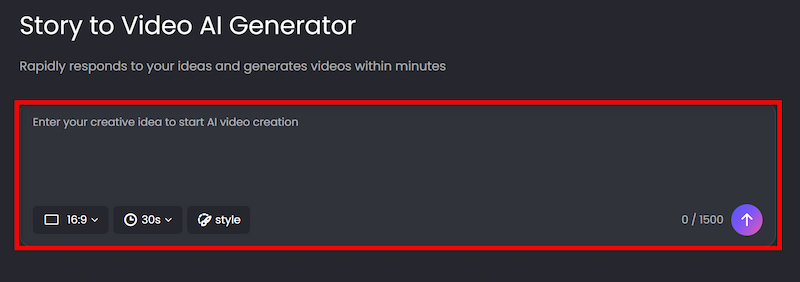
Step 1: Enter your idea.
Describe the story, characters, setting, or mood you have in mind. Then Picwand will automatically help you finish the outline.
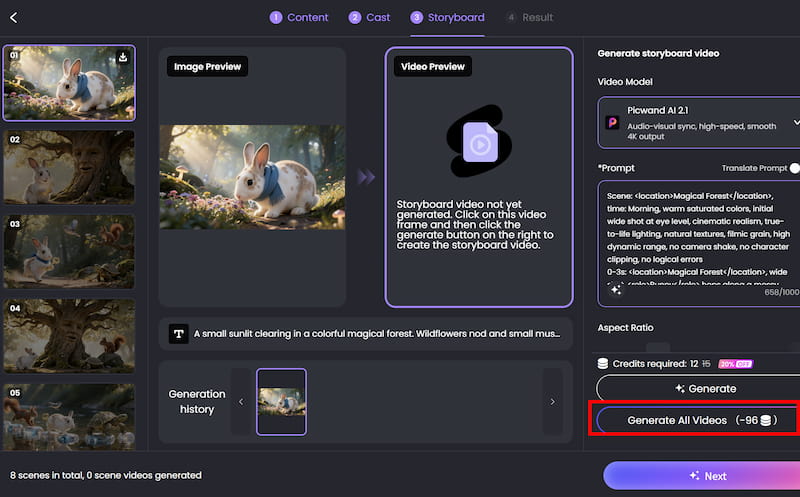
Step 2: Generate the storyboard.
Picwand analyzes the concept and develops a structured narrative with scenes and characters. The storyboard can be edited before final generation. If you are satisfied with the visual effect, click on Generate All Videos.
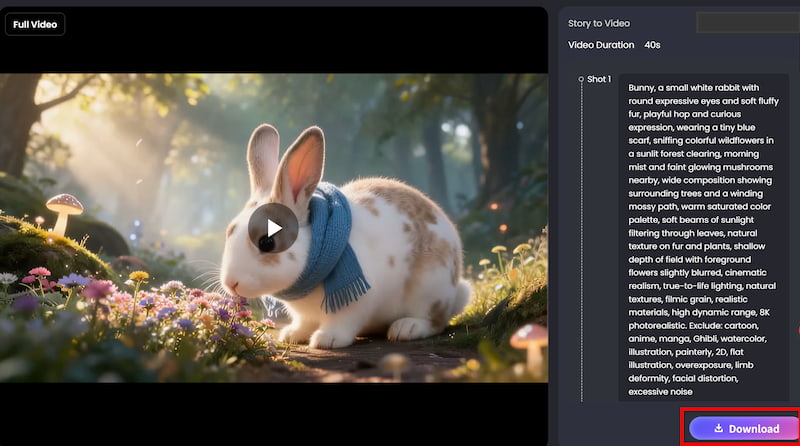
Step 3: Download the video.
Click on Download to save the final video.
Part 4: FAQs About How to Make an AI Story Video
Can I make an AI story video without video editing skills?
Yes. Story-to-video platforms are designed to automate much of the production process. You can start with a written concept and let AI handle parts of the story, scene, and visual creation process.
However, basic editing knowledge is still useful when you want to refine pacing, captions, audio, or individual scenes.
What should I write in an AI story prompt?
Include the main character, action, setting, mood, visual style, and important story details. For multi-scene stories, also explain how the character or situation develops.
How long should an AI story video be?
There is no universal ideal length. A simple social-media story may work in under a minute, while a children's story or educational narrative may need several minutes.
Start with the shortest version that can tell the story clearly. If removing a scene makes the ending confusing, it probably belongs in the video.
How do I keep AI characters consistent?
Use the same character description throughout the story. Keep important details such as clothing, hairstyle, age, and physical appearance consistent. If your AI video tool provides character-reference or character-consistency features, use them when available.
Can I use AI story videos on social media?
Yes. AI-generated stories can be adapted for platforms such as YouTube, Instagram, and TikTok. Before publishing, check the platform's current rules regarding AI-generated or altered content, especially when realistic people or events are involved.
Conclusion
That's all about how to make an AI story video. Learning how to make an AI story video starts with a simple idea rather than complicated production equipment. Give the story a clear character, conflict, setting, and ending, then use AI to develop those elements into connected scenes.
Picwand AI's Story to Video workflow makes this process more accessible by bringing story development, character creation, scene generation, and video production into one creative workflow. The best results still come from human direction. Instead of asking AI to “make a cool video,” provide a specific story, define your characters, describe the visual mood, and review each scene carefully. With a little iteration, a single sentence can become a complete visual story.
AI Picwand - Anyone Can be A Magician
Get Started for Free