Best Free Alternatives to Photoshop: For PC & Mobile Phone

Photoshop has long been one of the most popular tools for image editing, known for its powerful features and professional results. However, its high subscription cost and complex interface make many users look for better free alternatives to Photoshop, especially beginners who want a simpler and more affordable option. Fortunately, there are many excellent free Photoshop alternatives available for both PC and mobile devices. These tools offer useful features for photo editing, design, and creative projects without the steep learning curve of Photoshop. In this article, we will introduce 6 of the best free alternatives to Photoshop to help you find the right tool for your editing needs.
Contents:
How to Choose the Best Free Photoshop Alternative?
When choosing among different Photoshop alternatives, several factors can affect which tool works best for you. Whether you need a simple editor for daily use or a professional-level free Photoshop alternative, understanding these key points can help you make the right decision.
• Ease of Use: Look for an understandable interface, especially if you're a beginner. This allows you to use the app without investing too much time in learning, giving you more time to focus on your work.
• Features: Ensure the software offers essential editing functions like layers, masks, filters, and brushes. Some advanced features like retouching, color correction, and support for various file formats are also crucial. Therefore, the editing features of an app are the most crucial factor to consider.
• Compatibility: Before downloading, check if the software can run on your operating system (Windows, macOS, Linux) or mobile device (iOS, Android). Cross-platform availability should also be taken into consideration if you have such needs.
• Community and Support: Check if there's an active community and forum where you can seek help, tutorials, and resources. Or if there are additional services like a 7-day money-back guarantee, after-sales service, etc. Official support and frequent updates can also enhance your experience.
• Performance: Consider the software's performance and speed when working with large files. Check if your devices meet the app's hardware requirement, or the app might not run smoothly.
1. Picwand AI Photo Editor
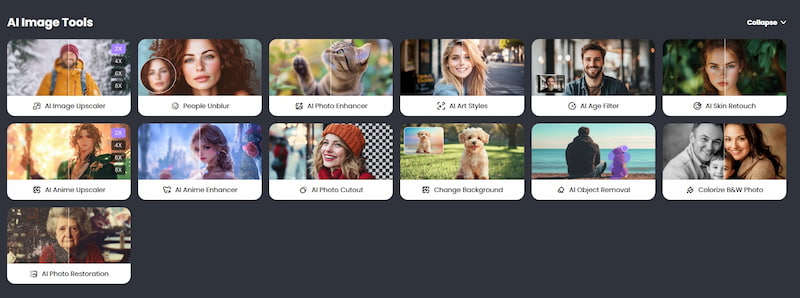
Picwand AI Photo Editor stands out as the best choice among the Photoshop alternatives mentioned above. This powerful online tool leverages advanced artificial intelligence to provide a seamless and user-friendly photo editing experience. Whether you're a beginner or an experienced editor, Picwand simplifies complex editing tasks, enabling you to achieve professional results without a steep learning curve or costly fees like those associated with Photoshop.
One of Picwand's key strengths is its flexibility. It offers a wide range of editing features, including image resizing, background removal, resolution enhancement, and photo cropping. These tools are designed to make editing easier, so you can improve your photos with minimal effort. Additionally, Picwand is web-based and compatible with Mac, allowing users to edit on any device. For those who prefer mobile editing, Picwand also offers apps for both Android and iPhone, ensuring convenience across platforms.
Pros
- User-friendly interface
- Advanced AI-powered features
- Supports various file formats
- Cross-platform compatibility (online and Mac)
- Free to use
- No hardware requirements
Cons
- The output speed will be affected by the internet
- Requires internet connection for online use
2. Fotor Photo Editor
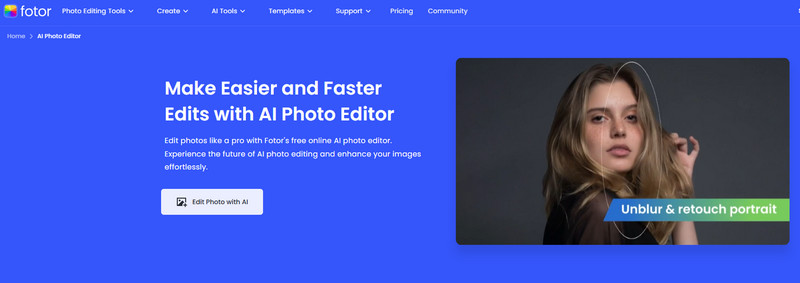
Fotor Photo Editor is a practical Photoshop alternative for users who want a simpler editing experience without the complexity of Adobe Photoshop. It is especially suitable for beginners while still offering enough tools for everyday editing needs. It provides essential features such as brightness, contrast, saturation adjustment, filters, retouching, and various visual effects. Its clean layout and user-friendly design make it easy to find tools quickly, which is why many users consider it one of the most reliable Photoshop alternatives free to try for basic photo editing tasks. Fotor also supports batch processing, allowing users to edit multiple images at once and save time. Besides photo editing, it includes a graphic design feature for creating posters, social media content, and other visual projects, making it a useful all-in-one editing tool for casual creators.
Pros
- Generate images with text
- Batch processing is provided
- A relatively fast output speed
Cons
- The output in the free version has a watermark
- There are some ADS in the free version
- You have to pay to unlock more features
3. GIMP
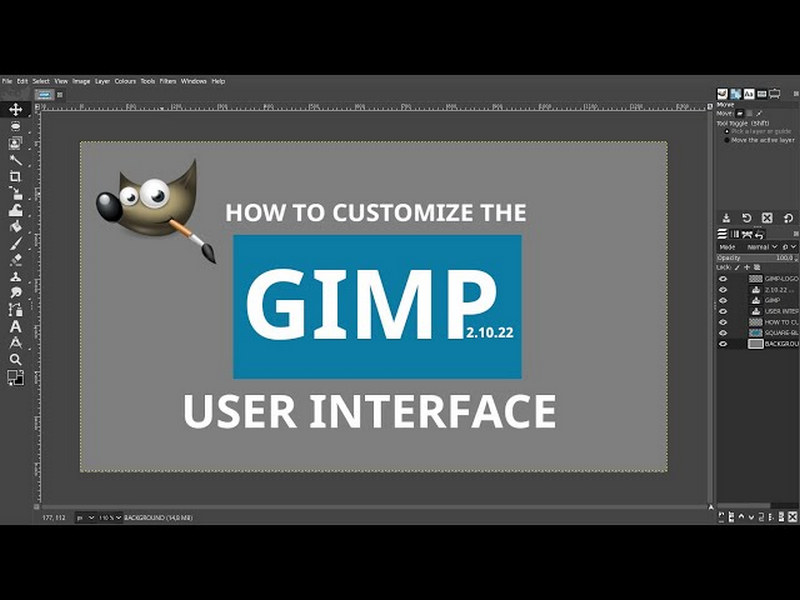
GIMP, which stands for GNU Image Manipulation Program, is a well-known free photo editing software like Photoshop for users who need powerful editing features without paying for Adobe Photoshop. GIMP is a solid and free alternative to Photoshop. GIMP is free and open source. Therefore, there are plenty of coders who modify and perfect it. GIMP offers plenty of valuable features for simple and complex editing. For instance, its modifying and producing images enable images to be resized, cropped, and quickly changed. GIMP also has the flexibility of utilizing your own brushes, patterns, and even your gradients, and this creates your images.
The interface may be complicated for people who don't know it, but that can be modified. It allows users to organize their working environment their way. GIMP supports other file formats such as JPEG, PNG, GIF, TIFF, and PSD (for use with Photoshop), which is very helpful for those who have a variety of project needs. Another advantage of GIMP is its ability not to slow down with quality images and complex processes. GIMP also has extensive scripts and extensions, and people find this easy to use.
Pros
- Free
- Open source enables more creative features
- It supports numerous functions like photo retouching, image composition, etc.
- Low learning cost
Cons
- The UI design is old and outdated
- The processing is relatively slow
- Can't open raw camera files without a third-party app
- The app may crash editing large files
4. Luminar Neo
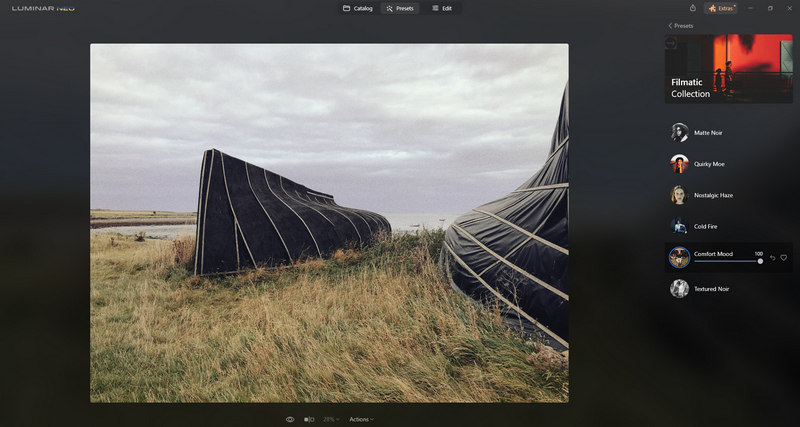
Luminar Neo is a complex image editor created by Skylum, famous for its complex functionalities that are made possible with artificial intelligence. The tool offers a wide range of abilities for improving the efficiency and quality of image editing and its imagination. The best thing about this tool is its artificial intelligence-based edit abilities. It enables smooth improvements of images with automatic shadow, highlight, and color settings adjustments.
Luminar Neo has a tool called Sky AI, which can easily replace skies in photos. The tool becomes very useful for landscape photographers. It also has a tool for removing subjects such as power cables, dust, and other subjects from photos. The tool has a user-centered and non-destructive workflow, and the source images are not harmed.
Pros
- Sky AI is offered to replace skies in photos easily
- Edit multiple photos at once
- Offer a lot of presets and effects
- Breakneck output speed (It depends on the device)
Cons
- Not free
- Extra learning cost
- Limited functions in the free version
- Strict hardware requirements
5. VanceAI
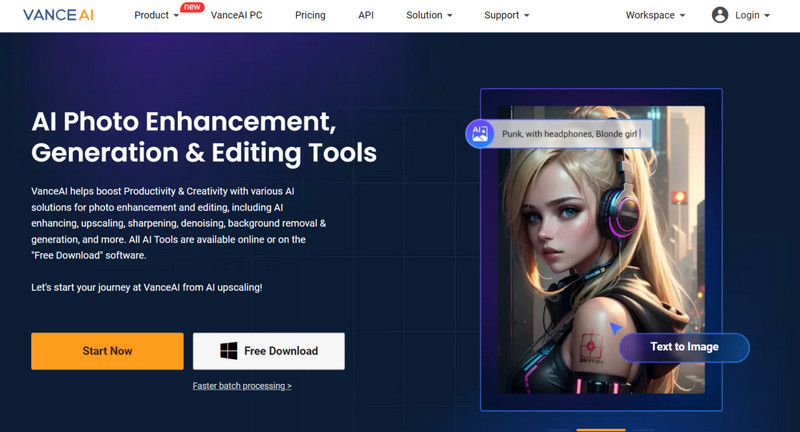
VanceAI is an AI-powered photo editing software designed to simplify image enhancement and improve editing efficiency. It offers a variety of intelligent tools that help users enlarge, sharpen, retouch, remove backgrounds, and even turn images into cartoons. For users looking for practical Photoshop free alternatives, VanceAI can be a convenient option for fast and AI-driven photo editing tasks.
The software processes images quickly and efficiently. With just a single click, you can enhance photos, eliminate noise, and enlarge pictures. VanceAI also supports batch processing, allowing you to edit multiple images at once.
VanceAI is user-friendly, making it accessible for both beginners and experts. Its professional-grade features, powered by deep learning, ensure great results even without prior editing experience. VanceAI can be used both online and on desktop, offering flexibility based on your preferences.
Pros
- Available on both online & desktop
- AI perfection makes the image seamless for manual editing
- The processing procedure is easy to learn and use
- A lot of creative filters and effects are supported
Cons
- Its desktop version has hardware requirements
- The export speed will be affected by the connection for its online version
- The software must be kept connected at all times. Otherwise, it cannot be used
6. Pixlr
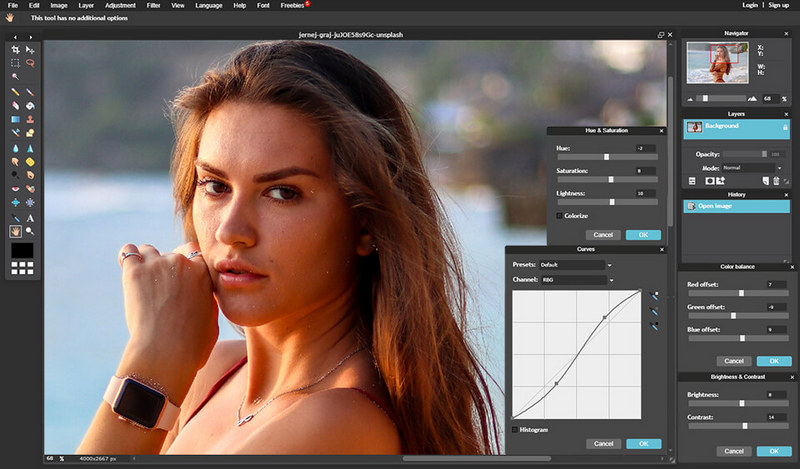
Pixlr is a convenient web-based editor that can be used directly in your browser without installing any software. For users looking for free programs similar to Photoshop, its web accessibility makes photo editing much easier and faster. The tool offers basic editing features such as resizing, cropping, and color correction, along with more advanced functions like filters, effects, and layer support. It is also a useful free Adobe Photoshop alternative thanks to its AI-powered tools, including AI Image Generator, AI Face Swap, and AI Background Remover.In addition, Pixlr provides a wide range of templates and design assets for creating social media posts, posters, and other visual projects with minimal effort.
The platform supports batch processing, hence the possibility of editing several photos in a single sitting. The app also has access to desktops and smartphones, thus flexibility on where and when the images can be edited.
Pros
- Provides plenty of templates for social media posts, posters, etc.
- Offers a wide range of editing tools, like layers and filters
- Available on both desktop and mobile devices
- Batch processing allows users to edit multiple photos at once
Cons
- The free version has ads
- Lack of advanced features compared with Photoshop
- Some features require an internet connection to work
- Some advanced functions may take time to master
The Best Free Alternatives to Photoshop at a Glance
To help you make an informed decision, below is a comparison table to help you evaluate the strengths of each.
| Feature / Tool | Picwand AI Photo Editor | Fotor Photo Editor | GIMP | Luminar Neo | VanceAI | Pixlr |
| Ease of Use | Very user-friendly | User-friendly | Moderate(Basic) | Easy-to-use | User-friendly | Intuitive |
| AI Tools | Yes | No | No | Yes | Yes | No |
| Background Removal | Yes | Yes | No | Yes | Yes | Yes |
| Image Enhancement | Yes | Yes | Limited | Yes | Yes | Yes |
| Noise Removal | Yes | No | No | Yes | Yes | No |
| Batch Processing | Yes | No | Yes | Yes | Yes | Yes |
| Platform Availability | Web, Mobile | Web, Mobile | Desktop (Windows, macOS) | Desktop (Windows, macOS) | Web, Desktop (Windows, macOS) | Web, Mobile |
| Free Version | Yes | Yes | Yes | Yes | Yes | Yes |
As seen in the table, each tool has unique strengths. Among them, Picwand AI Photo Editor stands out as the most versatile, combining ease of use, powerful AI tools, and a range of useful features like background removal and image enhancement.
Further Reading:
Summary
In this article, we’ve explored the 6 best free alternatives to Photoshop for both PC and mobile devices. While all of these alternatives have their merits, Picwand AI Photo Editor proves to be the best free alternative to Photoshop. It combines user-friendly design with powerful AI editing tools, making it suitable for both beginners and advanced users.
Whether you're enhancing images, removing backgrounds, or applying AI-based features, Picwand makes photo editing effortless and professional!
AI Picwand - Anyone Can be A Magician
Get Started for Free